For a Plex server, choose a Ryzen CPU with multiple cores and high clock speeds. The Ryzen 5 or Ryzen 7 series is are excellent choice for smooth streaming and multitasking. These CPUs offer great performance for handling video transcoding and streaming needs effectively.
In this article, we will explore what factors to consider when choosing a Ryzen CPU for Plex, including core count, clock speed, and budget.
Why Ryzen CPUs Are the Perfect Choice for Your Plex Server?
Ryzen CPUs are an excellent choice for a Plex server due to their high multi-core performance, energy efficiency, and cost-effectiveness. These processors handle multiple streams seamlessly, including 4K content, making them ideal for both casual and heavy Plex users. With hardware acceleration, Ryzen CPUs ensure faster transcoding, offering smooth media playback. Moreover, Ryzen’s balance between price and performance makes it an affordable option for media servers, particularly compared to Intel counterparts.
Whether you’re using Ryzen processors for Plex in a home setup or affordable Ryzen CPUs for media servers, they provide the perfect balance of power and cost.
Key Features to Look for in a Ryzen CPU for Optimal Plex Performance:
- Multi-Core Performance: The more cores, the better. Look for a Ryzen CPU with at least 6 cores for smooth streaming and transcoding.
- Clock Speed: Higher clock speeds (3.5 GHz or more) improve streaming performance, especially for 4K.
- iGPU Support: Integrated Graphics (iGPU) helps run Plex without requiring a dedicated GPU, especially in budget Plex builds.
- Hardware Acceleration: Essential for efficient video transcoding, speeding up the process without sacrificing quality.
- Energy Efficiency: Ryzen CPUs are known for consuming less power, making them an excellent choice for long-running servers.
These features ensure that your Plex server runs smoothly, whether streaming 1080p or 4K media.
Best Ryzen CPUs for Plex Server in 2025:
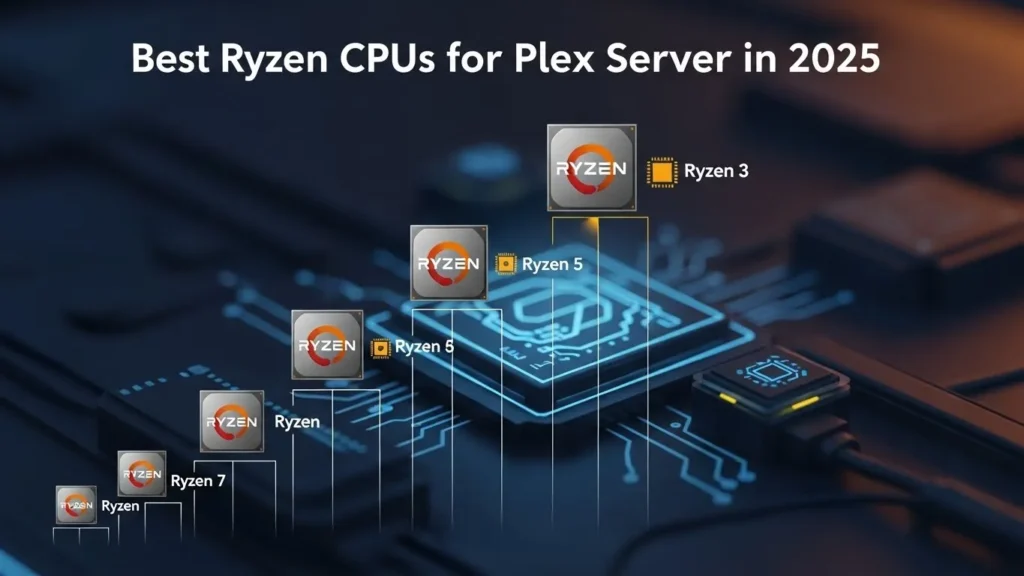
When setting up a Plex server, choosing the right Ryzen CPU for Plex can make a significant difference in streaming quality and performance. Here’s a quick breakdown of the best Ryzen CPUs for Plex in 2025, focusing on Plex transcoding, 1080p/4K streaming, and multi-core performance.
| CPU Model | Cores / Threads | PassMark Score | Recommended Streams (1080p) | iGPU Support | Best For |
| Ryzen 5 5600G | 6 / 12 | ~19,500 | 2–3 | Yes | Budget Plex builds (Direct-play streaming) |
| Ryzen 7 5700G | 8 / 16 | ~23,000 | 3–4 | Yes | Mid-range Plex setups (Affordable transcoding) |
| Ryzen 5 7600 | 6 / 12 | ~26,000 | 3–4 | No | Software transcoding (Enhanced Plex media server performance) |
| Ryzen 7 7700X | 8 / 16 | ~29,000 | 4–5 | No | Power users (High multi-core performance) |
| Ryzen 9 7900X | 12 / 24 | ~45,000 | 6+ | No | Multi-user Plex servers (Ideal for heavy Plex transcoding hardware) |
Maximizing Plex Server Performance with Ryzen CPUs: Here’s How:
To maximize Plex server performance, choose a Ryzen processor for Plex with higher core counts. This allows for better multi-core performance, especially when transcoding multiple streams. Combine your Ryzen CPU with at least 16GB of RAM and a fast internet connection to ensure smooth streaming, especially for Plex transcoding. For Plex server recommendations, the Ryzen 9 7900X excels in heavy workloads and supports multiple simultaneous streams.
Also Read: How to Check Node CPU Utilization in OpenShift?
Ryzen 7 vs Ryzen 9 for Plex Media Server – Which to Pick?
For a Plex Media Server, Ryzen 9 is generally the best choice due to its higher CPU cores and threads, making it ideal for multi-core performance and 4K Plex streaming.
Ryzen 9 for Plex:
- Higher cores and threads: Ryzen 9 offers more CPU cores and threads, making it great for multi-core performance. This is helpful when running multiple streams or heavy tasks.
- Better for 4K Plex streaming: With its powerful processing, it handles 4K streaming and Plex transcoding hardware efficiently, ensuring smooth playback on multiple devices.
- Example: If you have a 4K TV and want to stream movies or shows in ultra-high definition, Ryzen 9 will provide better results.
Ryzen 7 for Plex:
- Solid performance for 1080p streaming: Ryzen 7 is more than enough for 1080p Plex streaming. If you don’t need to stream multiple heavy tasks at once, Ryzen 7 can handle it smoothly.
- Cost-effective: It’s a more affordable option for Plex transcoding if you’re not streaming to many devices or dealing with 4K content.
- Example: If you mostly watch 1080p content or have a few streams at a time, Ryzen 7 is a great choice for your Plex media server.
AMD Ryzen 7 vs Ryzen 5: Which One Delivers the Best Plex Streaming Experience?
- Ryzen 5: Great for 1080p streaming and lighter transcoding tasks. It’s an affordable choice for smaller setups and basic streaming.
- Ryzen 7: Better for Plex transcoding tasks, especially when dealing with 4K streaming. With 8 cores, it handles heavy workloads better than Ryzen 5.
For Plex transcoding performance, Ryzen 7 is the more reliable choice for smoother, multi-stream setups.
Also Read: Can I Use Cpu Cable For Gpu?
Can Ryzen CPUs Run Plex Without a GPU?
Yes, Ryzen CPUs can run Plex without a GPU, but performance depends on the specific model. For basic tasks like 1080p streaming, Ryzen processors with integrated graphics (like the Ryzen 5 5600G) are good options. However, for 4K or high-quality transcoding, a dedicated GPU can boost performance.
Ryzen CPUs, with their multi-core power and hardware acceleration, handle Plex media server tasks efficiently, especially for transcoding. For smoother streaming and higher quality, especially in demanding scenarios, a Ryzen CPU paired with a GPU will provide the best Plex experience.
Ryzen vs Intel: Which is Better for Plex Media Servers?
When deciding between Ryzen vs Intel for a Plex media server, consider the following key factors:
Ryzen’s Multi-Core Performance:
Ryzen processors provide more cores and threads, making them ideal for multitasking and handling multiple media streams. This is crucial for running a Plex server smoothly, especially when dealing with high-quality video streams.
Intel’s Single-Core Performance:
While Intel chips excel in single-core performance, which benefits certain tasks that require faster processing of individual tasks, Plex streaming typically doesn’t require that. Ryzen processors perform just as well, if not better, in this scenario.
Cost-Effectiveness:
Ryzen processors are generally more affordable, offering great value for the money. If you are building a Plex media server on a budget, Ryzen gives you powerful performance without the premium price tag that Intel sometimes demands.
Power Efficiency:
Ryzen CPUs are known for their energy efficiency, which is an essential consideration when running a server 24/7. This can help reduce electricity costs over time compared to Intel processors, which tend to consume more power.
Best Choice for Plex Media Servers:
For most users, Ryzen is the better option. With its high multi-core performance, affordability, and energy savings, it is the preferred choice for those looking to build a high-performance Plex server without breaking the bank.
While Intel may have the edge in some specialized areas, Ryzen’s overall performance, especially for tasks like streaming multiple media files, makes it the best choice for a Plex media server.
Ultimate Guide to Building a Powerful Plex Server Using a Ryzen Processor:
Building a Plex server with Ryzen CPUs involves:
- Choosing the Right CPU: Opt for Ryzen 7 or Ryzen 9 for transcoding and multi-stream setups.
- Adding Sufficient RAM: At least 16GB for smoother streaming.
- Using Fast Storage: SSDs for faster access and HDDs for storage.
- Setting Up a Reliable Network: Ensure a stable and fast internet connection for seamless streaming.
- Optimizing Transcoding: Enable hardware acceleration in Plex to utilize Ryzen’s processing power for faster transcoding.
By following these steps, you’ll build a high-performance Plex media server that delivers smooth, reliable streaming.
How Many Plex Streams Can Ryzen CPUs Handle?
| Ryzen CPU Model | Number of Streams | Stream Quality | Optimal Conditions |
| Ryzen 5 | 4-6 streams | 1080p | Sufficient RAM & fast internet |
| Ryzen 7 | 6-8 streams | 1080p | 16GB RAM & stable connection |
| Ryzen 9 | 8-10+ streams | 4K & 1080p | 32GB RAM & high-speed internet |
Ryzen 5 and Ryzen 7 can handle multiple 1080p streams without breaking a sweat. Depending on the model and video quality, 4-6 streams for Ryzen 5 and 6-8 streams for Ryzen 7 are possible.
For Ryzen 9, expect 8-10+ streams, even in 4K resolution, making it ideal for heavier tasks.
The CPU’s performance in streaming depends on RAM capacity and internet speed. Make sure you have 16GB to 32GB of RAM for smoother playback and avoid lagging or buffering.
Conclusion:
When selecting a Ryzen CPU for a Plex server in 2025, prioritize multi-core performance, higher clock speeds, and efficient transcoding capabilities. For most users, the Ryzen 5 5600G or Ryzen 7 5700G offers great value. However, for demanding 4K streaming and heavy transcoding, Ryzen 9 7900X is ideal, ensuring smooth, reliable performance across multiple streams.
FAQ’s:
1. Is Ryzen 5 5600G good enough for Plex?
Yes, the Ryzen 5 5600G is suitable for 1080p streaming and basic Plex transcoding tasks. It’s an affordable option for small Plex setups, especially for DirectPlay streaming and light media server duties.
2. Which Ryzen CPU is best for Plex transcoding in 2025?
The Ryzen 9 7900X is the best choice for Plex transcoding in 2025. With its 12 cores and 24 threads, it excels at 4K transcoding and handling multiple simultaneous streams, making it perfect for heavy Plex server setups.
3. Can Plex run on Ryzen without a GPU?
Yes, Plex can run on Ryzen CPUs without a GPU. Ryzen processors like the Ryzen 5 5600G come with integrated graphics that are sufficient for 1080p streaming and basic transcoding. For 4K or heavy transcoding, a dedicated GPU is recommended.
4. Does Plex use Ryzen integrated graphics for hardware acceleration?
Yes, Plex can use Ryzen’s integrated graphics (like the Ryzen 5 5600G) for hardware acceleration during video transcoding. This enhances performance and reduces the load on the CPU for 1080p streaming and basic tasks.
5. Ryzen 7 5700G vs Ryzen 5 8600G, which is better for Plex?
The Ryzen 7 5700G is better for Plex due to its 8 cores and 16 threads, offering superior performance for Plex transcoding and multi-stream setups compared to the Ryzen 5 8600G. It’s more suitable for 4K streaming and heavier Plex workloads.
Also Read: Is 4000RPM Too Low For CPU Fan?